Monitoring your IBM Cloud vSphere servers

The IBM Cloud for VMware Solutions architecture specifies that vSphere (ESXi) servers should be attached to the public network, but should be configured not to enable their own public IP address. This ensures that workloads running on the servers can access the public network as necessary (e.g., using an NSX Edge Services Gateway), but that the hosts themselves cannot be reached over the internet.

When IBM Cloud (a.k.a. SoftLayer) provisions a bare metal server, the default monitoring configuration for that server is to ping its public IP address. This means that by default all of your ESXi hosts are reported by the IBM Cloud infrastructure portal to be down:
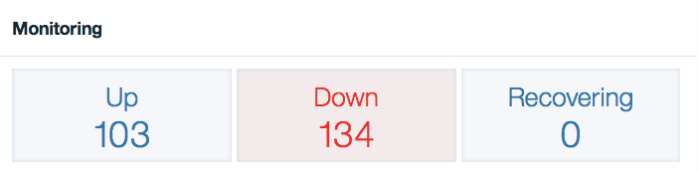
servers-down

You can correct this by re–configuring the monitor for each server to test the private IP address rather than the public IP address. Since you cannot change the IP address of a monitor, you will have to remove the existing monitor and create a new monitor for the private IP address.

If you have many bare metal servers in this situation, you’ll want to automate the re–configuration. To help with this, I wrote a Python script to reconfigure your bare metal server monitors. You’ll have to fill in your SoftLayer username and API key, and the script will reconfigure the monitors for all servers that are (1) marked down, and (2) have a monitor configured for their public IP but not their private IP. The new monitor for the private IP will retain the same attributes as the existing monitor for the private IP. Voila:
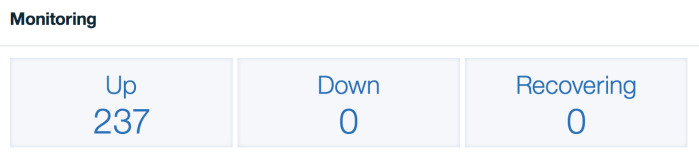
sl-monitor-fixed

Connecting VMware and IBM Cloud

Connecting VMware and IBM Cloud

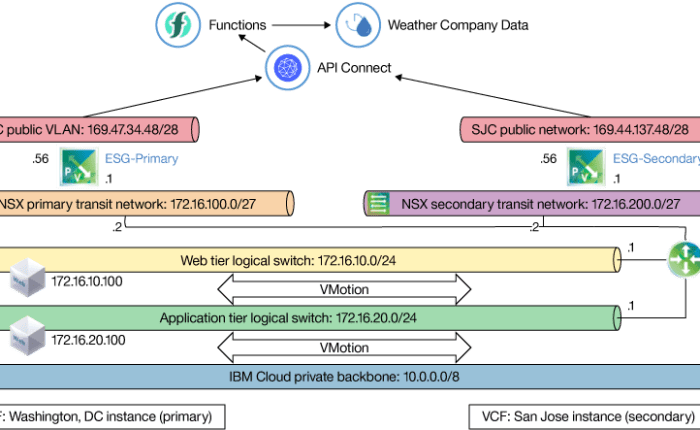
Kurtis Martin and I recently published a tutorial that shows how you can securely connect your VMware workload running in the IBM Cloud to other IBM Cloud services. This enables you to seamlessly extend your VMware application with valuable cognitive, data, and developer services available in the IBM Cloud.

Read more at IBM developerWorks: Securely connect your private VMware workloads in the IBM Cloud.

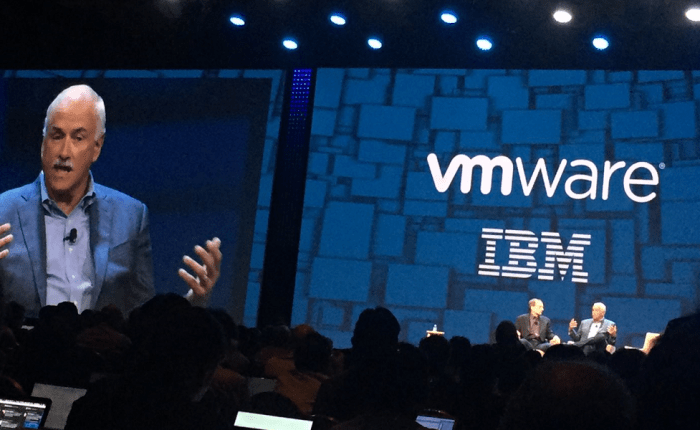
I presented a brief overview highlighting this tutorial at the IBM booth at VMworld 2017. Watch my overview here:

IBM Cloud for VMware at VMworld 2017

IBM Cloud for VMware at VMworld 2017

IBM has a significant lineup of activities at VMworld US 2017. I’m particularly excited about Dr. Michio Kaku’s session on Wednesday.

I’ll be speaking on Monday about integration between VMware applications and broader IBM Cloud services, and I’ll also be present at the IBM booth, for both US and Europe conferences. If you’re there, be sure to stop by and say hi!

Be sure to also check out our hands-on labs available at VMworld.

What’s new with IBM Cloud for VMware Solutions

What’s new with IBM Cloud for VMware Solutions

IBM Cloud for VMware Solutions just released the following updates:

Don’t forget that Zerto Disaster Recovery also remains available as a service for IBM Cloud for VMware. Zeb Ahmed provides some guidance on thinking about backup versus  disaster recovery, and Zerto recently received an award for their ransomware protection capabilities!

What’s new in IBM PureApplication System

The PureApplication System 2.2.3 release introduced exciting developments in workload management and replication. Previously you could replicate disks from one system to another, but now you can replicate entire applications.

vmware-cloud

You can find details on how to use these new capabilities in a three-part developerWorks series on hosted VMware environments and replication written by the PureApplication engineering team.

What’s new with IBM Cloud for VMware Solutions

This week IBM Cloud for VMware Solutions released our May version 1.6 release. The most significant changes in this release are the availability of new hardware choices, and the move to our new vCenter Server architecture, which allows for high availability deployments and aligns with our premier Cloud Foundation offering architecture.

Zane Adam, VP of IBM’s dedicated private cloud offerings, writes to share more details about the IBM, HyTrust, and Intel partnership to offer IBM Cloud Secure Virtualization on top of our VMware offerings.

IBM Cloud also recently announced the general availability of Veeam Availability Suite on IBM Cloud. This offering is independent of the VMware offerings, meaning that you can deploy it in IBM Cloud for our VMware automated offerings, your own custom VMware environments in IBM Cloud, or your own Hyper-V environments in IBM Cloud.

I’ve written two blog posts on the IBM Bluemix blog, highlighting the importance of considering all of the options and factors in migrating to the cloud, and also exposing some common security myths about the cloud aren’t true of IBM’s dedicated private cloud offerings.

IBM Cloud at ZertoCON

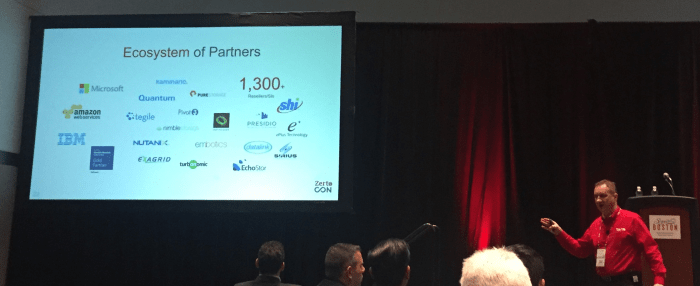
IBM Cloud offers Zerto Virtual Replication as one of the add-on services for our VMware Solutions offerings, enabling VM replication and migration between IBM’s cloud and on-premise installations in either direction. IBM Cloud’s Zerto service is a compelling foundation for disaster recovery of VMware workloads, whether you are looking to replicate your own workloads or provide disaster recovery services to your own customers. We’re proud to be one of the sponsors of ZertoCON 2017 and one of Zerto’s featured cloud service provider partners.

Don Wales discussing Zerto's cloud partnerships
Don Wales discussing Zerto’s cloud partnerships at ZertoCON 2017

If you’re in Boston for ZertoCON 2017, be sure to check out Zeb Ahmed’s presentation on Tuesday, How to Master Disaster Recovery for Enterprise Applications in IBM Cloud.

VMware at IBM Interconnect 2017

VMware at IBM Interconnect 2017

IBM’s Interconnect conference is March 19-23 this year. There’s quite a few interesting sessions currently lined up related to VMware and IBM Cloud:

I hope to see you at Interconnect 2017!

A new home for the IBM Cloud VMware architecture

A new home for the IBM Cloud VMware architecture

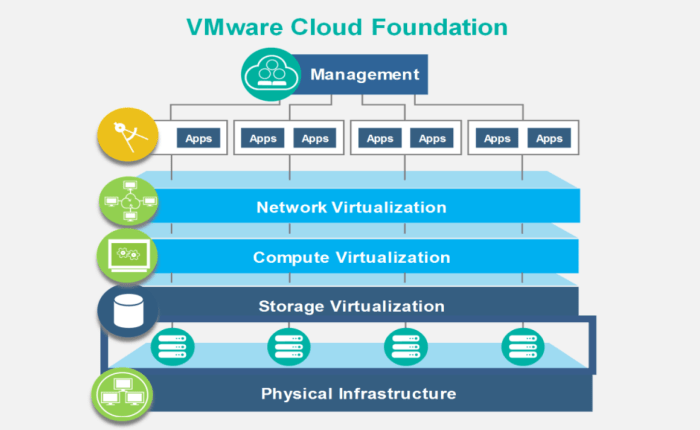
IBM Cloud for VMware Solutions is a set of offerings that allow you to rapidly deploy VMware environments into the IBM Cloud. Previously I’ve described how these offerings work to deploy your VMware environment. But the IBM Cloud for VMware Solutions is more than just a framework to deploy and manage a VMware cloud. The VMware Cloud Foundation instances that we deploy are installed and configured according to a standard solution architecture that was jointly developed by IBM and VMware.

The documentation for our VMware architecture has moved to a new home on the IBM Bluemix Garage Method’s Architecture Center. This site hosts a number of architectures, now also including our VMware virtualization architecture. You can see that we have already started to expand the architecture by creating add-on architectures for VMware vRealize and for HyTrust CloudControl, DataControl, and BoundaryControl. These new specifications are the first of many add-on components that will prescribe how to add additional virtualization services to your VMware environments.